
Products
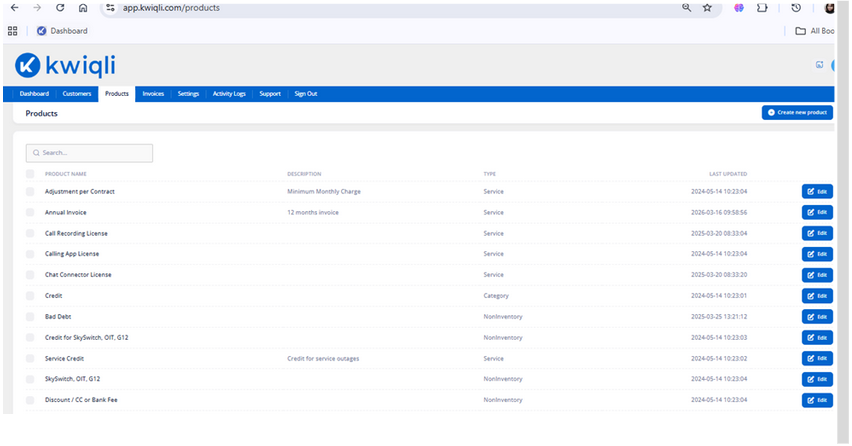
The Products module manages products and services used for billing and invoicing.
Viewing Products
Instructions
-
Click the Products tab.
-
Review the product list.
-
Use the Search field to locate products.
Functions
-
Review available products
-
Check product types
-
View synchronization status
3.2 Creating a Product
Instructions
-
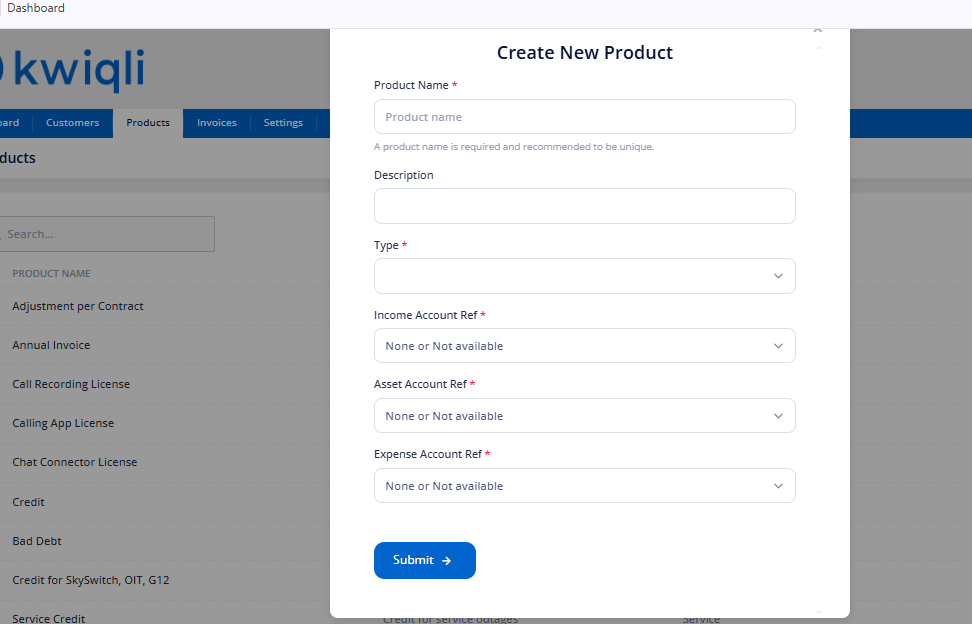
Click Create New Product.
-
Enter:
-
Product Name
-
Description
-
Product Type
Click Submit.
Functions
-
Add billable services
-
Configure invoice products
-
Sync products to QuickBooks
Editing Products
Instructions
-
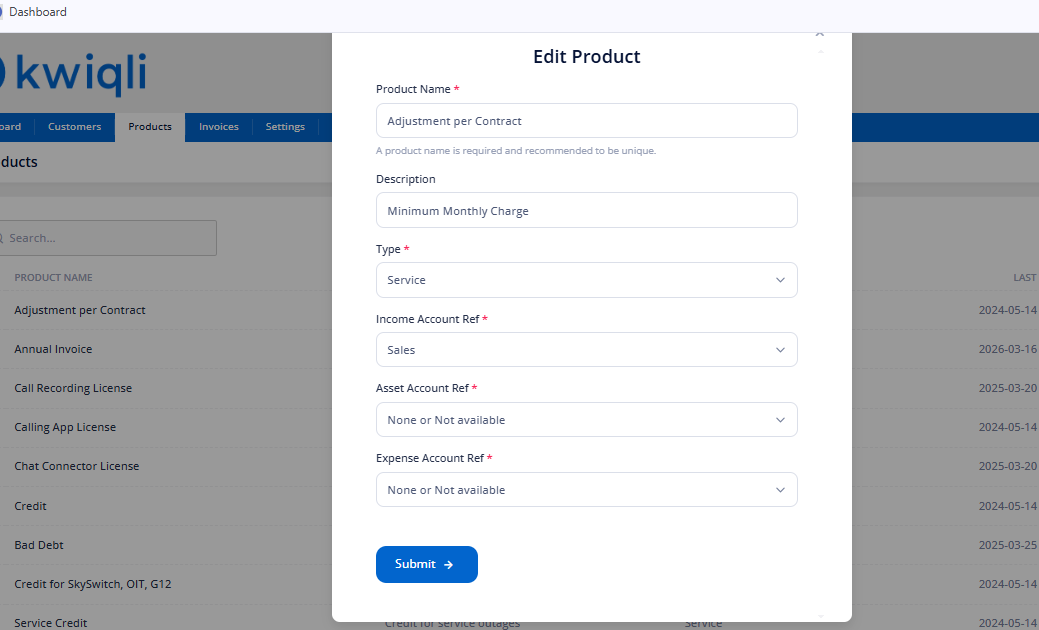
Locate the product.
-
Click Edit.
-
Update the product information.
-
Submit changes.
Functions
-
Modify pricing information
-
Update billing descriptions
-
Manage active services